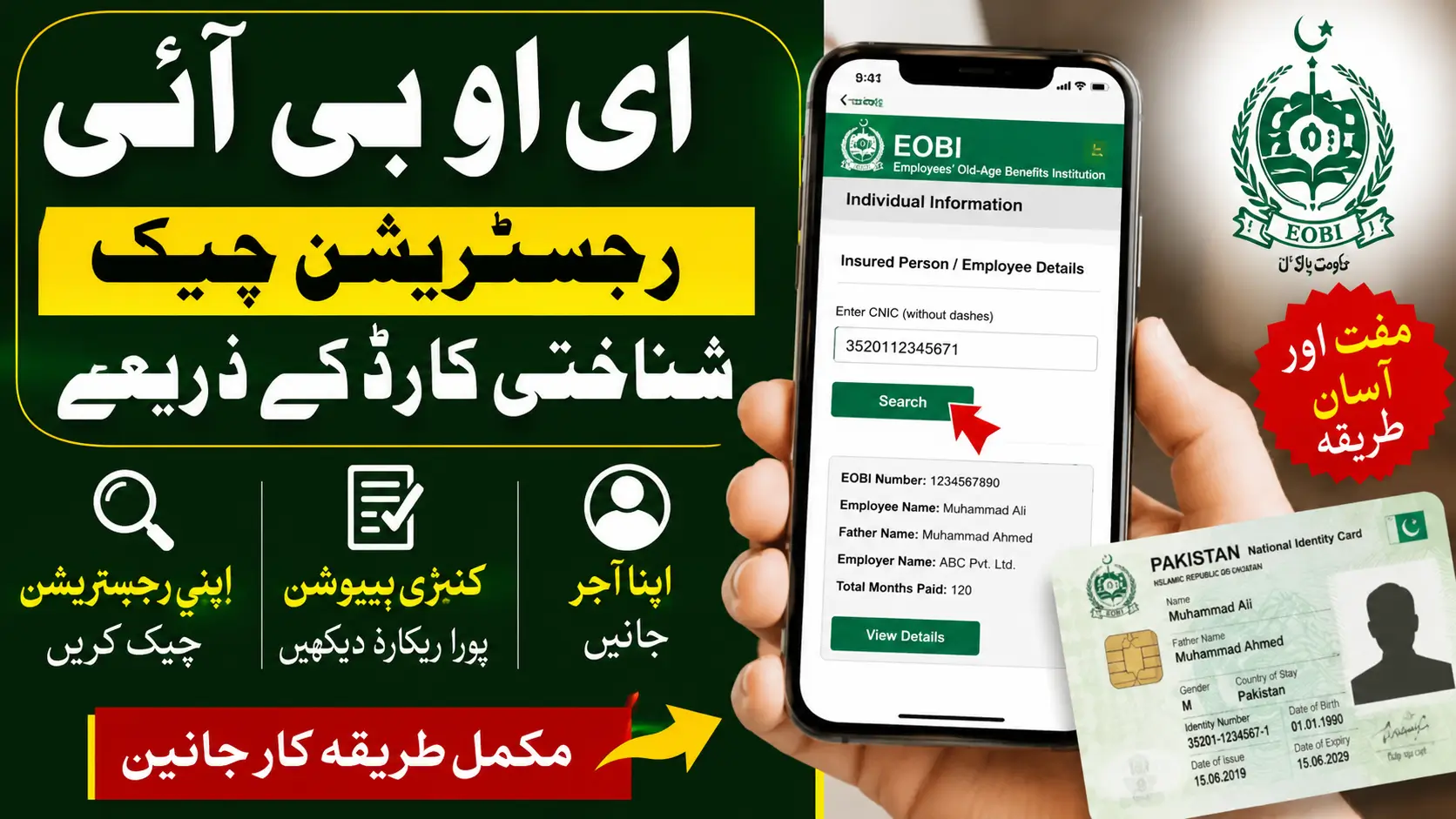
EOBI Registration Check by CNIC
Imagine working for 20 or 30 years, expecting a pension after retirement, only to discover your employer never registered you with EOBI. Unfortunately, many private-sector employees in Pakistan find out too late.
The good news is that you don’t have to wait until retirement. With just your 13-digit CNIC, you can verify your EOBI registration online in a few minutes. This simple check helps you confirm whether your employer is depositing your monthly contributions and whether your pension record is complete.
This guide explains the complete EOBI Registration Check by CNIC process, what information you’ll see, common issues, pension eligibility, and what to do if your record is missing.
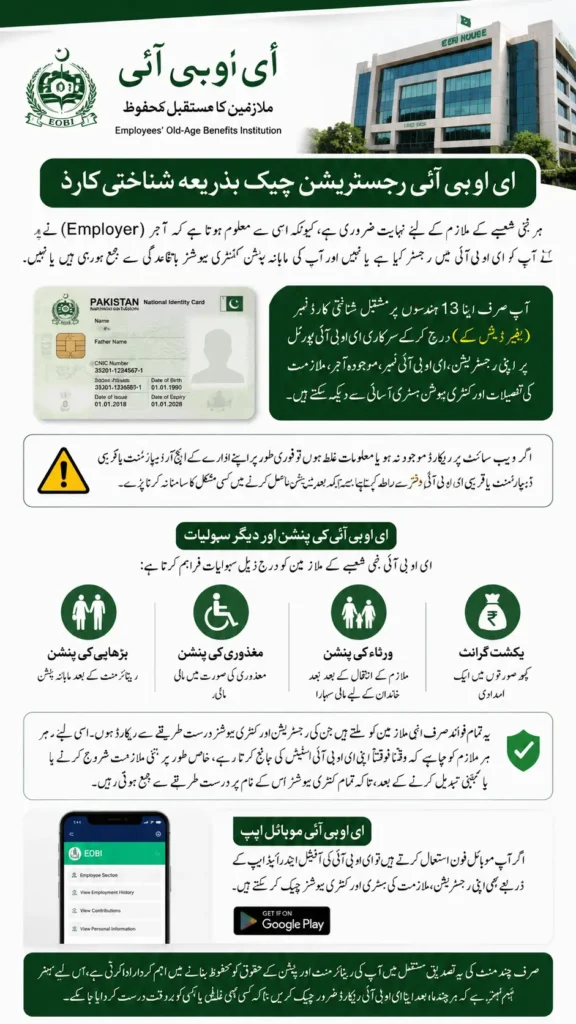
Quick Answer
You can complete an EOBI Registration Check by CNIC by visiting the official EOBI Individual Information portal, entering your 13-digit CNIC (without dashes), and clicking Search. If you’re registered, the system displays your EOBI registration number, employer details, contribution history, and employment record. The online service is available during official working hours.
EOBI Registration Check at a Glance
| Feature | Details |
|---|---|
| Service | EOBI Registration Check |
| Check Method | Online using CNIC |
| Requirement | 13-digit CNIC |
| Cost | Free |
| Information Available | Registration Number, Employer, Contributions, Employment History |
| Official Users | Private Sector Employees |
| Platform | Official EOBI Website |
| Availability | Monday to Friday (Office Hours) |
What Is EOBI and Why Does Registration Matter?
The Employees’ Old-Age Benefits Institution (EOBI) is Pakistan’s social security organization for eligible private-sector workers. It was established to provide financial support after retirement and protect employees and their families against income loss.
When your employer registers you with EOBI and regularly submits contributions, you gradually build eligibility for future pension benefits. Without proper registration, years of employment may not count toward your retirement.
Checking your EOBI record regularly helps you:
- Confirm that your employer has registered you.
- Verify monthly contribution deposits.
- Identify missing employment records early.
- Avoid pension-related problems later.
- Keep track of contributions after changing jobs.
How to Complete EOBI Registration Check by CNIC
Checking your EOBI record online is straightforward.
Step 1: Open the Official EOBI Portal
Visit the official EOBI Individual Information page.
Step 2: Select Employee Information
Open the Insured Person / Employee Details section.
Step 3: Enter Your CNIC
Type your 13-digit CNIC number without spaces or dashes.
Example:
3520112345671
Step 4: Click Search
Within a few seconds, your EOBI record will appear if your registration exists.
The entire process usually takes less than two minutes.
What Information Appears After the Search?
If your registration is available, you’ll see several important details.
These commonly include:
| Record | Purpose |
|---|---|
| EOBI Registration Number | Your unique employee ID |
| Full Name | Registered employee name |
| Father’s/Husband’s Name | Identification record |
| Date of Birth | Used for retirement calculations |
| Employer Name | Latest registered employer |
| Contribution Months | Total months contributed |
| Contribution History | Month-wise payment details |
Review every detail carefully. Even small mistakes in your name or date of birth can delay future pension claims.
Can You Check EOBI Through the Mobile App?
Yes.
If you prefer using your smartphone instead of a browser, EOBI also provides an official Android application.
After creating an account using your CNIC and OTP verification, you can:
- View employment history
- Check contribution records
- Monitor previous employers
- Access your registration details anytime
The mobile app is particularly useful for employees who frequently change jobs because all registered employment records remain accessible from one account.
Why You Should Check Your EOBI Record Regularly
Many employees assume their employer is submitting monthly contributions.
Unfortunately, that isn’t always true.
Checking your EOBI status every few months can help you discover problems before they become difficult to fix.
Regular verification helps you:
- Catch missing contributions early.
- Detect incorrect personal information.
- Confirm new employers have updated your record.
- Maintain continuous pension eligibility.
- Keep accurate employment history.
What If Your EOBI Record Is Missing?
Finding no record doesn’t always mean you are ineligible.
Sometimes:
- Your employer never completed registration.
- Contributions were not deposited.
- Your CNIC was entered incorrectly.
- Multiple EOBI records exist.
- Personal information contains errors.
If your record cannot be found:
- Contact your HR department.
- Ask for proof of EOBI registration.
- Request correction if information is incorrect.
- Visit your nearest EOBI regional office.
- Keep salary slips and appointment letters as supporting documents.
- Contact the EOBI helpline if needed.
Who Can Register Under EOBI?
EOBI generally covers employees working in eligible private-sector organizations.
Typical eligible workers include:
- Factory workers
- Shop employees
- Office staff
- Industrial workers
- Mill employees
- Private company workers
Government employees and members of the armed forces are covered under different pension systems rather than EOBI.
EOBI Pension Benefits
A valid EOBI registration can make you eligible for different types of financial support depending on your contribution history.
These benefits include:
Old Age Pension
Monthly pension after meeting the required contribution period and retirement age.
Invalidity Pension
Financial assistance for employees who become permanently disabled before retirement.
Survivor Pension
Provides continued financial support to eligible family members after the insured employee’s death.
Old Age Grant
A one-time payment for workers who reach retirement age but do not qualify for the full pension because they have fewer contribution years.
Frequently Asked Questions
Is EOBI Registration Check by CNIC free?
Yes. The online verification service is completely free for employees.
Can I check EOBI without my registration number?
Yes. Your CNIC alone is enough to search your record online.
How long does the online check take?
Normally less than two minutes if the service is available.
Can I see my contribution history?
Yes. Registered employees can view their contribution record along with employer information.
What should I do if my employer never registered me?
Contact your employer first. If the issue remains unresolved, visit the nearest EOBI regional office with employment proof and supporting documents.
Does changing jobs affect my EOBI registration?
No. Your registration remains valid, but each employer should continue submitting contributions under your existing EOBI record.
Can family members check an employee’s EOBI status?
Yes, if they have the employee’s CNIC, they can verify the registration status through the official online portal.
Conclusion
An EOBI Registration Check by CNIC is one of the easiest ways to protect your retirement benefits. It only takes a few minutes but helps confirm that your employer has registered you correctly and is making regular contributions on your behalf.
Checking your record periodically, reviewing your contribution history, and reporting any missing information early can save years of frustration later. Staying informed today helps ensure that the pension you’ve worked for will be available when you need it most.