Telenor WhatsApp Monthly Package 2026 — Code, Price and Details
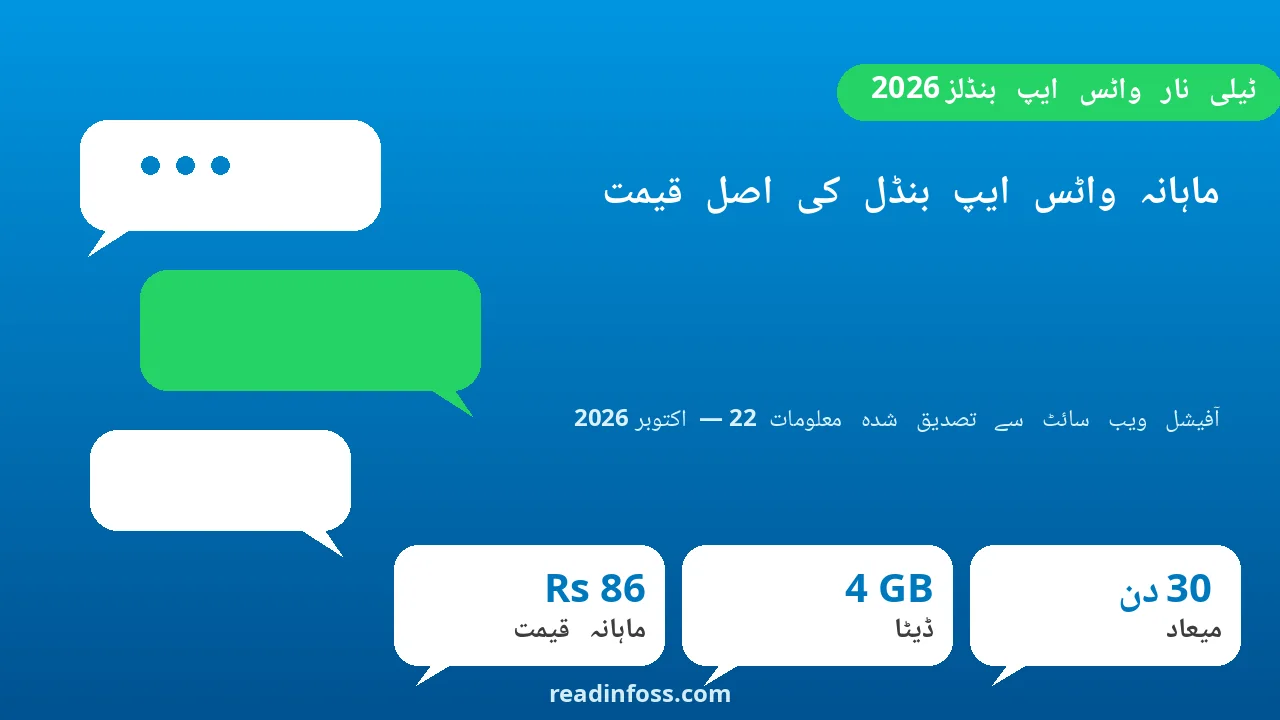
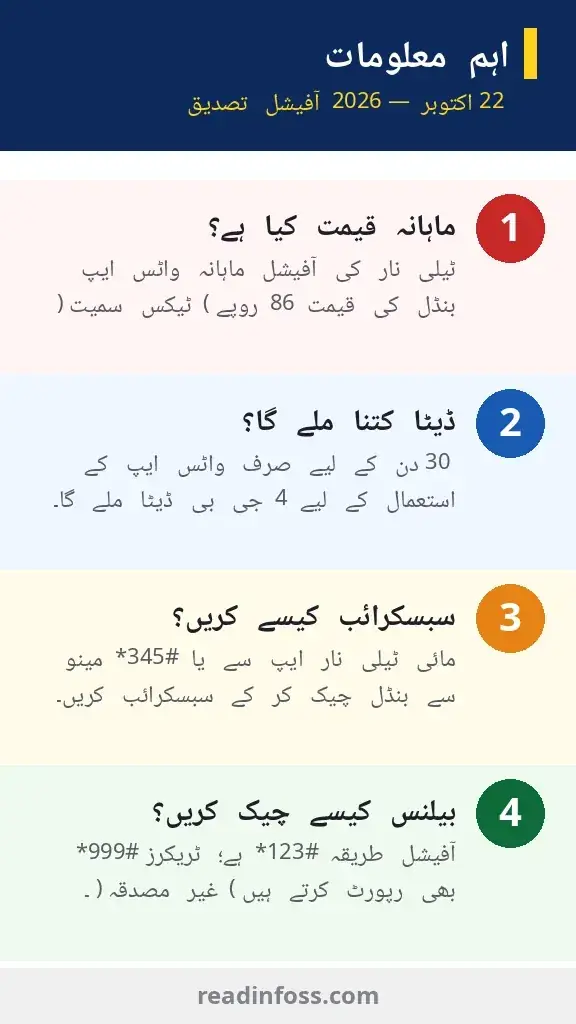
The Telenor Monthly WhatsApp bundle is Telenor’s official month-long WhatsApp offer for prepaid users. Verified today (22 October 2026) on Telenor’s own website, the bundle costs Rs 86 (including tax) with a load price of Rs 100, and gives 4 GB of data for WhatsApp only, valid for 30 days.
A quick warning before the details: package tracker blogs report wildly different figures for this bundle, including Rs 5, Rs 25, Rs 80 and Rs 100 for codes like *247#. The figures below separate what Telenor’s official site actually says from what third-party trackers claim. Always confirm the live price in the My Telenor App or by calling 345 before subscribing, because Telenor can revise offers without notice.
The official source for this guide is the Telenor Monthly WhatsApp offer page at telenor.com.pk/personal/telenor/offers/monthlywhatsappoffer/.
At a Glance
| Feature | Details |
|---|---|
| Package name | Telenor Monthly WhatsApp |
| Price | Rs 86 (including tax) — verified on telenor.com.pk, 22 Oct 2026 |
| Load price | Rs 100 (you need roughly Rs 100 loaded balance) |
| Data | 4 GB (WhatsApp only) |
| Validity | 30 days from the date of subscription |
| Eligibility | All Telenor prepaid customers |
| Auto-renewal | No — the bundle will not renew automatically |
| Status check (official) | Dial *123# to check free resources |
| Subscription channel | Available across all channels (app, USSD menu, retailer) |
| Verification status | Price and resources verified on telenor.com.pk on 22 Oct 2026 |
Is Rs 25 the Monthly Price? The Confusion Explained
No. The Rs 25 figure you see on many tracker blogs is the price of Telenor’s weekly WhatsApp bundle, not the monthly one. Several trackers report a Weekly WhatsApp bundle at Rs 25 for 7 days (for example, 2 GB for 7 days via *5*451#), but Telenor’s own site does not confirm that weekly figure. The official monthly WhatsApp bundle is the Rs 86 offer described above.
There is also confusion around the code *247#. Different trackers attach very different numbers to it:
- Rs 5 including tax with 1,500 MB for 30 days
- Rs 25 with 4 GB for 30 days
- Rs 86 with 4 GB for 30 days
- Rs 100 with 4 GB for 30 days
These figures cannot all be true at once. They are tracker reports of old or promotional variants of the same code. The official site currently lists the Monthly WhatsApp bundle at Rs 86 (including tax) with 4 GB for 30 days. Treat every other figure as unconfirmed until you see it in the My Telenor App.
Monthly WhatsApp Prices Reported Online — Verification Table
This table compares what each source reports, with an honest verification status for each:
| Price reported | Data claimed | Code reported | Source | Status |
|---|---|---|---|---|
| Rs 86 (incl. tax) | 4 GB WhatsApp only | All channels | telenor.com.pk | Verified official (22 Oct 2026) |
| Rs 5 (incl. tax) | 1.5 GB WhatsApp | *247# | Tracker blogs | Not confirmed — check My Telenor App |
| Rs 25 | 4 GB WhatsApp | *247# | Tracker blogs | Not confirmed — likely old or weekly variant |
| Rs 100 | 4 GB WhatsApp | *247# | Tracker blogs | Not confirmed — check My Telenor App |
| Rs 99 | 8 GB WhatsApp | *5*452# | Daily Capital (claimed app-verified, May 2026) | Not confirmed — check My Telenor App |
| Rs 25 (weekly) | 2 GB WhatsApp | *5*451# | Tracker blogs | Not confirmed — this is a weekly, not monthly, claim |
The pattern is clear: only the Rs 86 figure has been verified against Telenor’s official website today. Everything else is third-party reporting that may be outdated, promotional, or region-specific.
What Does the Official Monthly WhatsApp Bundle Include?
According to the official offer page, verified on 22 October 2026:
- 4 GB data usable only on WhatsApp — messaging, voice notes, photos, videos, and WhatsApp voice and video calls all draw from this quota.
- 30-day validity from the moment you subscribe. If the data runs out early or the 30 days pass, standard tariff rates apply afterwards.
- No automatic renewal — the bundle stops when it expires; you will not be charged again unless you resubscribe.
- All prepaid customers are eligible — the offer is available across all subscription channels.
- Re-subscription extends validity — if you resubscribe within the validity period, the offer runs for another 30 days.
Note that call setup charges are not applicable to this package, and the data is for WhatsApp only. It does not cover Facebook, YouTube or general browsing.
How to Subscribe to the Telenor Monthly WhatsApp Bundle
Method 1 — My Telenor App (recommended)
Step 1: Install the My Telenor App from the Play Store or App Store and log in with your Telenor number.
Step 2: Open the Offers or Internet section and find the Monthly WhatsApp bundle.
Step 3: Read the price shown on screen. The app always shows the current live price, which is the most reliable figure you can get.
Step 4: Tap Subscribe and confirm. Keep the confirmation SMS as proof.
Method 2 — USSD menu (*345#)
Step 1: Make sure you have around Rs 100 balance (taxes and recharge deductions can raise the effective cost).
Step 2: Dial *345# to open Telenor’s offer menu.
Step 3: Follow the on-screen options to monthly internet / social bundles and select the WhatsApp monthly bundle.
Step 4: Confirm. You will get an SMS confirming the subscription.
Method 3 — Retailer or franchise
You can also ask the nearest Telenor retailer, Jazz point or franchise to activate the Monthly WhatsApp bundle for you, or buy an Easyload of Rs 100 and then subscribe via the menu. Asking the retailer to show you the subscription confirmation on their terminal avoids mistakes.
A caution: some tracker blogs tell you to dial *247# directly for the monthly WhatsApp bundle. Trackers do not agree on what *247# currently costs (Rs 5, Rs 25, Rs 86 or Rs 100). Before dialling it, check the live menu or the app to see what it actually activates on your SIM today.
How to Check Remaining MBs and Unsubscribe
To check your remaining data: Telenor’s official offer page says to dial the free string *123# to check free resources within the offer. Many trackers also report *999# for checking remaining MBs, but that is a tracker-reported code, so treat it as a fallback rather than official.
To check your balance: dial *444# (tracker-reported).
To unsubscribe: tracker blogs report that you can unsubscribe from the WhatsApp bundle by dialling *124#. This is not confirmed by Telenor’s official page, which only states the bundle does not renew automatically. If the code does not work on your SIM, call the helpline at 345 for help.
Balance check: if you only want to confirm whether the bundle is active before a trip or a busy week, the *123# resource check is enough. There is no point subscribing twice to the same bundle.
What 4 GB of WhatsApp Data Gets You
Four gigabytes sounds abstract, so here is a rough idea of what it covers for typical use. These are estimates, not promises, because video calls and media uploads consume data faster:
- Text messaging: effectively unlimited — plain chat uses almost nothing.
- Voice calls on WhatsApp: roughly 60 to 70 hours of voice calls (uses about 0.5 to 0.7 MB per minute).
- Video calls on WhatsApp: roughly 8 to 12 hours (uses about 5 to 8 MB per minute).
- Photos and videos: hundreds of photos and dozens of short videos shared comfortably.
For a light user who mainly chats and makes the occasional voice call, 4 GB easily lasts the month. If you make daily WhatsApp video calls, watch the usage with *123# and consider a general data bundle instead.
Common Mistakes to Avoid
- Trusting the Rs 25 monthly claim: Rs 25 is the tracker-reported weekly price, not the official monthly price. Do not load only Rs 25 and expect the monthly bundle.
- Dialling old codes blindly: codes like *247# have different prices on different tracker blogs. Check the live offer in the My Telenor App first.
- Assuming WhatsApp data works everywhere: the official bundle’s 4 GB is WhatsApp-only. Facebook, Instagram, TikTok and browsing use your other data or standard charges.
- Subscribing twice: resubscribing while an active bundle is running can waste money. Check *123# before subscribing again.
- Ignoring the expiry SMS: the bundle stops after 30 days without renewal, and data use afterwards is charged at standard rates. Keep the expiry in mind.
- Paying agents: you never need to pay a third party or an “agent” to activate a telecom bundle. Use the app, the *345# menu, or an official retailer.
Frequently Asked Questions
What is the official price of the Telenor WhatsApp monthly package?
Telenor’s official website lists it at Rs 86 including tax, with a load price of Rs 100, verified on 22 October 2026. It gives 4 GB of WhatsApp-only data for 30 days. Confirm the price in the My Telenor App before subscribing, as offers can change.
What is the code for the Telenor monthly WhatsApp package?
Telenor’s official page does not publish a dedicated USSD code; it says the offer is available across all channels. Tracker blogs report *247#, but attach conflicting prices (Rs 5 to Rs 100) to it. The safest route is the My Telenor App or the *345# menu.
Is the Telenor WhatsApp package really Rs 25 per month?
No. Rs 25 is the price that trackers report for the weekly WhatsApp bundle, not the monthly one. The official monthly bundle costs Rs 86 (including tax). Do not load only Rs 25 and expect a 30-day bundle.
How much WhatsApp data do I get in the monthly bundle?
4 GB for WhatsApp only, valid for 30 days, per the official offer page. When it runs out or expires, standard tariff rates apply to WhatsApp data use.
Can I subscribe through *247#?
Several tracker blogs say yes, but they disagree on the price attached to that code (Rs 5, Rs 25, Rs 86 or Rs 100). The status of *247# is not confirmed. Check the My Telenor App or the *345# menu for the live offer before dialling.
How do I check my remaining WhatsApp MBs?
Dial *123# to check free resources within the offer, as stated on Telenor’s official page. Trackers also report *999#, but that is not officially confirmed.
Does the package renew automatically?
No. Telenor’s official terms state the bundle will not be renewed automatically. You need to subscribe again after 30 days.
Is this bundle available for postpaid users?
The official page says all Telenor prepaid customers are eligible. Postpaid users are not covered by this offer; postpaid customers can ask the helpline (345) about social bundles for their price plan.
How does this compare with Jazz’s monthly hybrid bundle?
Jazz’s Monthly Super Duper is a hybrid bundle (data plus call minutes plus SMS) reported at around Rs 1,652, while Telenor’s Monthly WhatsApp is a cheap single-purpose social bundle at Rs 86. If you only need WhatsApp, Telenor’s bundle is far cheaper; if you need calls and general internet too, read our guide on the Jazz Monthly Super Duper package.
Final Thoughts
The honest bottom line: Telenor’s official Monthly WhatsApp bundle costs Rs 86 (including tax) for 4 GB of WhatsApp-only data over 30 days, verified on telenor.com.pk today. That is the only figure you can treat as confirmed. Every other price and code floating around on tracker blogs (Rs 5, Rs 25, Rs 100, *247#) is unconfirmed and likely old, regional, or a weekly variant.
Subscribe through the My Telenor App or the *345# menu, check your remaining data with *123#, and remember the bundle ends after 30 days without auto-renewal. And as always, verify the price on the day you subscribe, since telecom offers in Pakistan change frequently. Like package prices, daily market rates such as the gold rate today are only reliable when checked fresh.